
CronJobs
Create and manage scheduled jobs as CronJob Components in SVIEW, choose which nodes they run on, and trigger a run by hand with kubectl.
You have work that needs to run on a schedule rather than continuously — a
nightly database cleanup, a report, a data sync. On the platform that is a
CronJob Component, created from the Catalog in SVIEW and managed there like
any other Component.
Almost everything you need is self-service in SVIEW. Direct cluster access is
only needed for one thing: triggering a run by hand.
What you can do in SVIEW
| Task | Where |
|---|---|
| Create a scheduled job | Applications → Deployments → + New, then Cronjob under APPLICATIONS |
| Change the schedule, image, or environment variables | The Component's configuration |
| Pause a job without deleting it | The Component's configuration |
| Adjust the job's CPU and memory | The Component's configuration |
| Read recent job output | The Component's Logs tab |
Creating a CronJob
-
Go to Applications → Deployments and click + New.
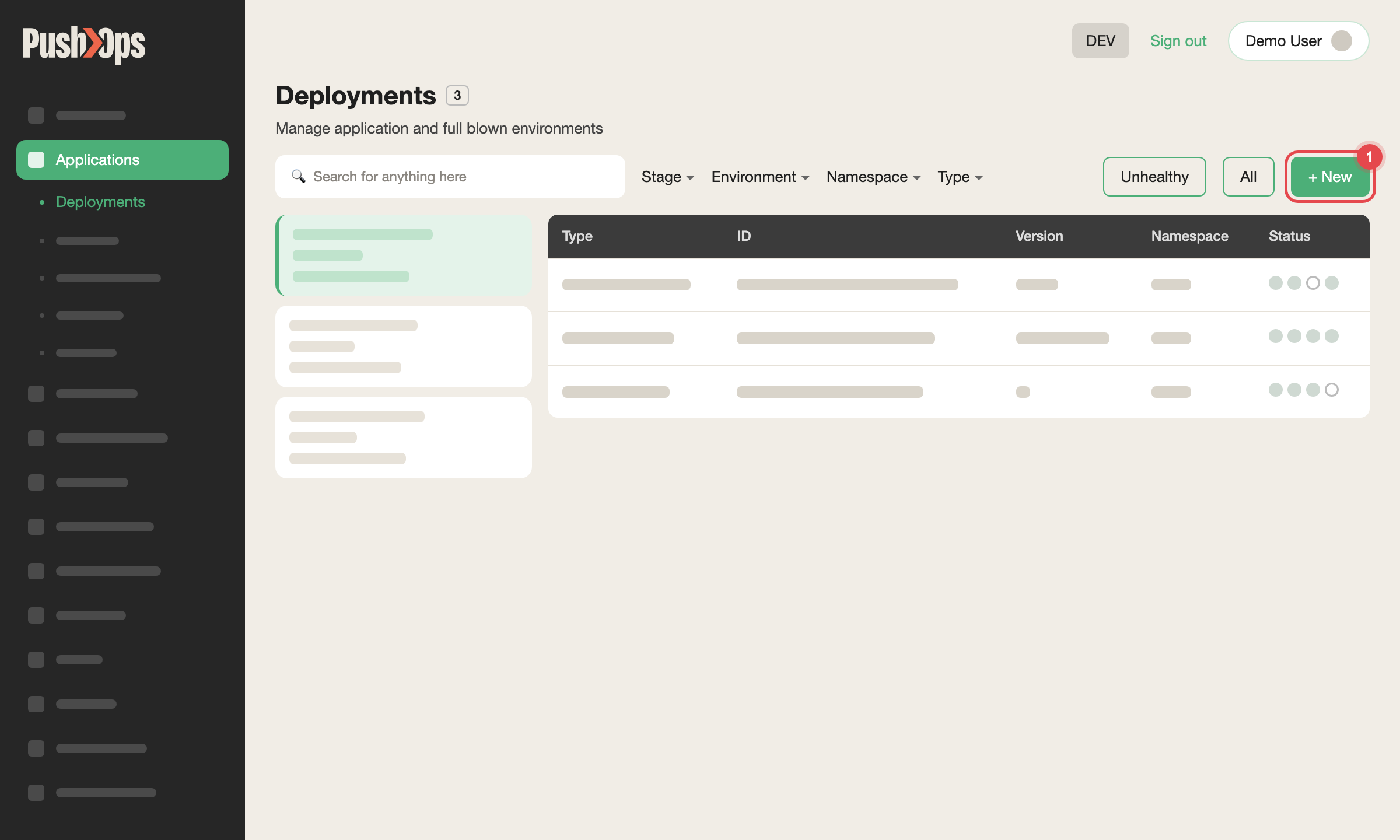
Figure 1 — Applications → Deployments: click + New
-
Under ENVIRONMENTS, select the Environment.
-
Under APPLICATIONS, which appears once an Environment is selected, select the Cronjob Catalog item.
-
Choose the SERVICE and NAMESPACE, and enter a NAME.
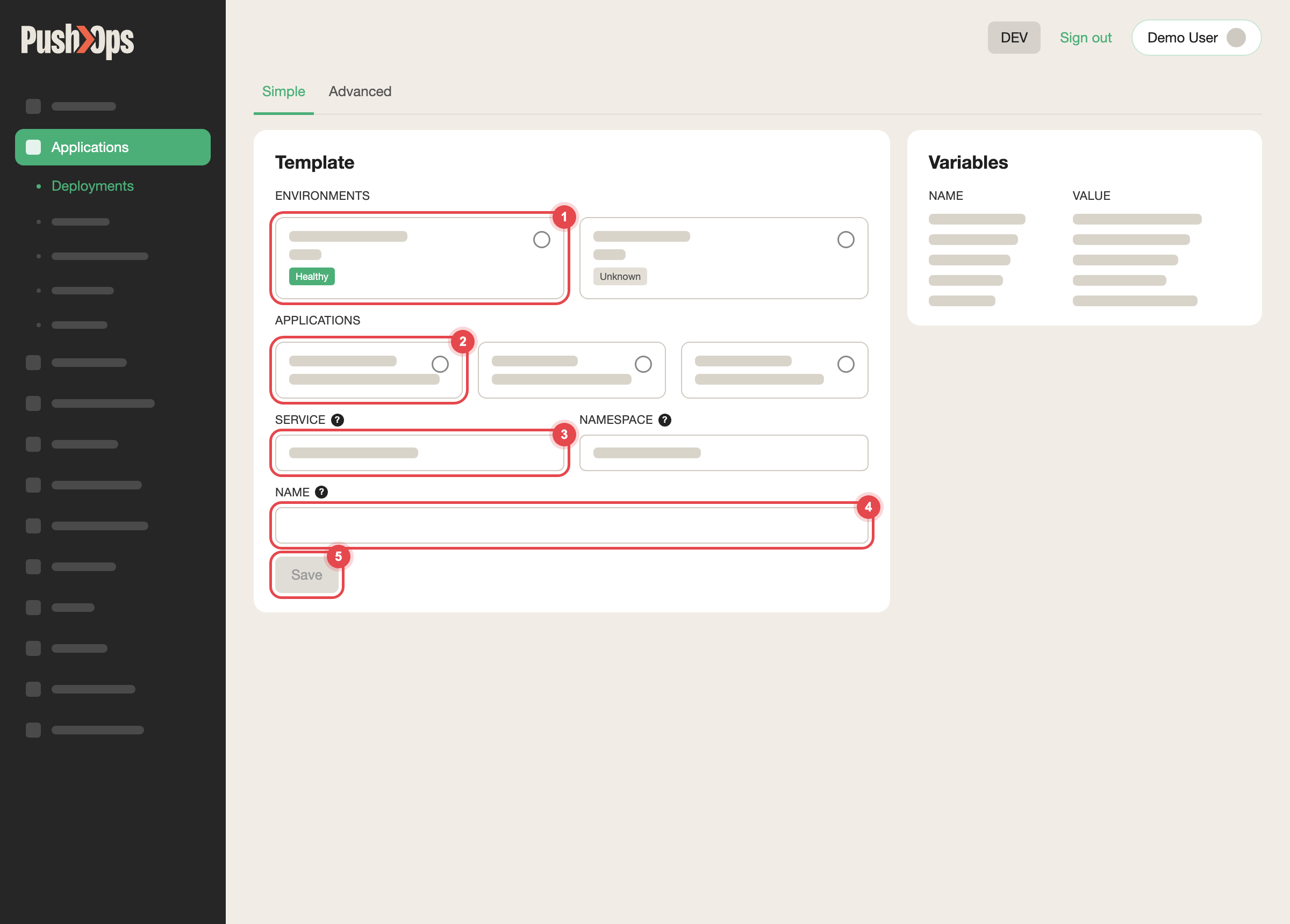
Figure 2 — Choose the environment, the Catalog item, the Service and a name, then click Save
-
Configure it, including:
schedule— a standard cron expression, for example0 2 * * *for daily
at 02:00 UTCimage— your container image and tag- any environment variables the job needs
-
Click Save. The job is deployed and runs automatically on schedule.
Default settings
These apply unless you override them in the Component's configuration.
| Setting | Default | Description |
|---|---|---|
successfulJobsHistoryLimit | 3 | How many completed job records to keep |
failedJobsHistoryLimit | 1 | How many failed job records to keep |
concurrencyPolicy | Forbid | Prevents a new run starting while one is still going |
restartPolicy | Never | A failed pod is not restarted in place — the next scheduled run is the retry |
Running jobs on dedicated nodes
Jobs can run on their own node pools, away from your applications, so a heavy
nightly job cannot slow down the services your users depend on. Two settings in
the Component's configuration decide where a job runs:
jobType— whether the job can survive being interrupted part-way:
uninterruptible(the default) orinterruptiblededicatedNodes— whether it runs on a dedicated job pool:false(the
default) ortrue
jobType | dedicatedNodes | Where the job runs |
|---|---|---|
uninterruptible | false (default) | The shared data pool, on-demand nodes |
uninterruptible | true | The dedicated uninterruptible-jobs pool, on-demand nodes |
interruptible | false | The shared main pool, spot nodes |
interruptible | true | The dedicated interruptible-jobs pool, spot nodes |
A new CronJob keeps the defaults, so it runs on shared nodes until you set
dedicatedNodes: true. The job pools start nodes only while jobs are running,
so moving a job there does not leave idle capacity behind.
Choose interruptible only for jobs that can be safely re-run from the start:
spot nodes are cheaper but can be reclaimed at short notice, and an
interrupted run waits for the next schedule.
Background workers that are not CronJobs, such as Celery workers, are not
moved by these settings. To pin one to a job pool, add the node affinity and
toleration shown in Cluster Autoscaling.
How to verify it worked
After saving, confirm the Component reaches a healthy state on its dashboard,
then check the Logs tab after the first scheduled run to confirm the job
produced the output you expect.
If you have Kubernetes namespace access
Triggering a run immediately, outside the schedule, is not available in SVIEW —
it needs kubectl. Skip this section unless you need that.
Prerequisite: request Kubernetes namespace access through Access
Requests in SVIEW — see
Namespace Access.
Access is temporary and scoped to your namespace.
Log in through Teleport and select your cluster:
tsh login --user <your-email> --proxy https://teleport.manage.cto2b.eu
tsh kube ls
tsh kube login <your-cluster-name>
List the CronJobs in your namespace:
kubectl get cronjobs -n <your-namespace>Trigger a run:
kubectl create job --from=cronjob/<cronjob-name> -n <your-namespace> <job-run-name>Watch it:
kubectl get pods -n <your-namespace> | grep <job-run-name>
kubectl logs -f <pod-name> -n <your-namespace>
Clean up the manual run when you are finished. Deleting the job also deletes its
pods:
kubectl delete job <job-run-name> -n <your-namespace>If you have a dedicated observability stack, job logs are also queryable in
Grafana Loki — see
Observability.
Related articles
Updated about 1 month ago