
GCP IAM and GCS Access
Provision GCS buckets yourself from the Catalog, and learn when and how to request GCP service accounts or IAM bindings from CTO2B.
Your applications run inside CTO2B-managed GCP projects. Two kinds of GCP
access come up regularly — object storage (GCS buckets for uploads,
exports, backups) and IAM access for a service account or a pod-level
binding. The boundary is simple: buckets are self-service from the Catalog,
while IAM changes go through a request.
On AWS? See AWS S3 and IAM Access.
GCS buckets — provision them yourself
GCS buckets are Components, provisioned the same way as databases or caches.
-
Go to Applications → Deployments and click + New.
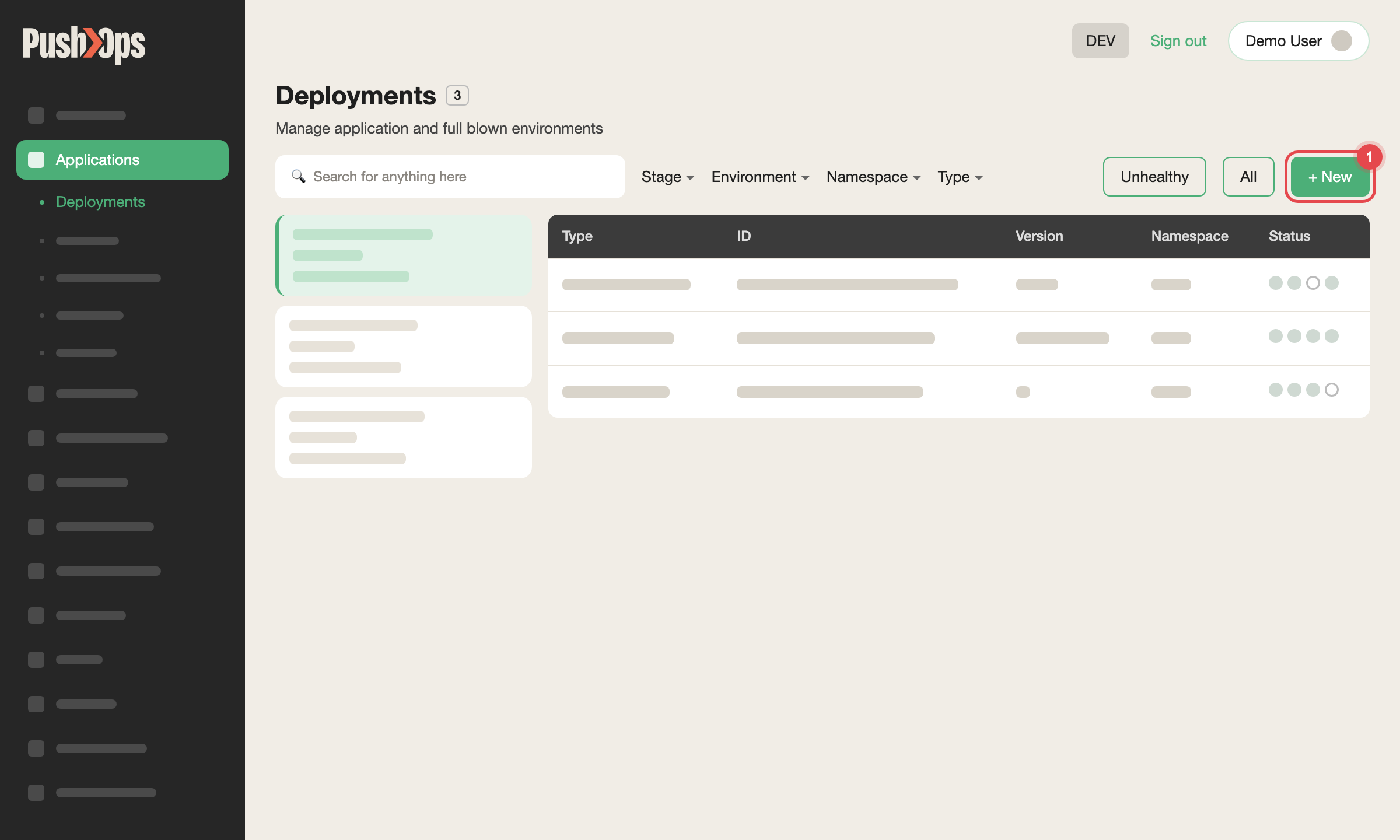
Figure 1 — Applications → Deployments: click + New
-
Under ENVIRONMENTS, select the Environment.
-
Under APPLICATIONS, which appears once an Environment is selected, select the S3 bucket Catalog item under GCP Services — on GCP this item creates a Cloud Storage (GCS) bucket.
-
Choose the SERVICE and NAMESPACE, and enter a NAME.
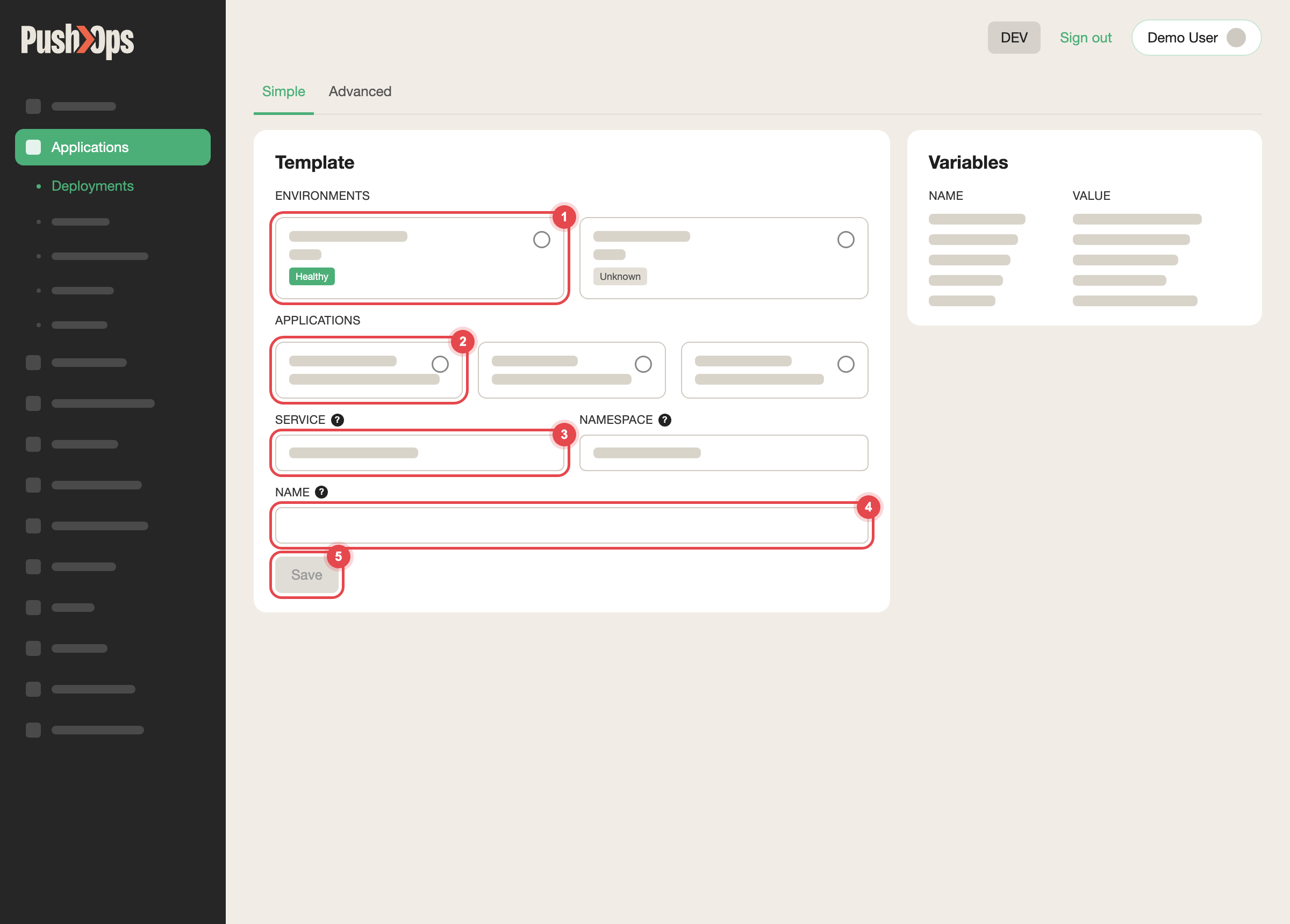
Figure 2 — Choose the environment, the Catalog item, the Service and a name, then click Save
-
Fill in the configuration — region and storage class.
-
Click Save. The platform provisions the bucket and injects the access
credentials into your Service automatically.
Connection details and credentials appear on the Component's dashboard once
provisioning completes. Your application reads the bucket using the injected
credentials, so no manual IAM configuration is needed.
GCP IAM access — raise a request
The following are not self-service:
- GCP service accounts for third-party integrations, such as an external API
that needs bucket access - Workload Identity bindings for pod-level GCP access
- Cross-project IAM permissions
- Access to the GCP console for your project
How to request: raise a request through the Support Portal. If you have a
shared Slack channel with CTO2B, you can raise it there as well — it reaches
the same team, but the Support Portal gives the request a ticket you can track.
Include:
- What you need — for example, "a GCP service account with read access to the
my-backupsGCS bucket for our data pipeline" - Which environment it affects
- Whether it is temporary or permanent
CTO2B creates the service account, assigns the roles, and shares the key or
Workload Identity configuration with you.
Scope the request narrowly: list only the GCP services and resources the
workload actually calls. Narrow requests are faster to review and approve, and
they limit exposure if the workload is ever compromised.
About your GCP project
Your environments run in CTO2B-managed GCP projects, and each environment is
isolated — your production workloads do not share a project with another
customer. Per-environment cloud costs are visible in SVIEW.
For details of your specific project ID or organisation structure, raise a
request.
Common questions
Can I create GCP service accounts myself?
No. Service account creation is not self-service — raise a request with the
details above.
My bucket type is not in the Catalog. Can I still request one?
Yes. Raise a request with your requirements and the team will provision it.
I need a signed URL for temporary file access.
Signed URLs are generated by your own application using the credentials
injected into the Component. No platform-level action is needed.
I need Workload Identity so a pod can reach GCP services without a key file.
Raise a request. CTO2B configures the binding between your Kubernetes service
account and a GCP service account.
Related articles
Updated about 1 month ago