
IAM Service Accounts
Give an application a cloud identity with an IAM Service Account on AWS, so it can reach cloud services without access keys in its configuration.
Your application needs to reach a cloud service — object storage, a queue, a
log group — and you do not want to put access keys in its configuration. An
IAM Service Account gives the application a cloud identity instead.
Which cloud are you on?
This article covers the AWS flow. On GCP, there is no IAM Service
Account Component: IAM role bindings are configured directly on the application
through the iam dependency engine — see
Application Dependencies, and GCP IAM and GCS Access for anything that needs a
request. If you are not sure which cloud your environment runs on, check the
environment in SVIEW or raise a request.
Before you start
- Know the namespace the application runs in. The service account must be
created in the same namespace. - Know exactly which cloud resources the application calls, so the policy can
be scoped to them.
Provisioning the service account (AWS)
-
Go to Applications → Deployments and click + New. Under ENVIRONMENTS, select the Environment; then, under APPLICATIONS, select IAM service account.
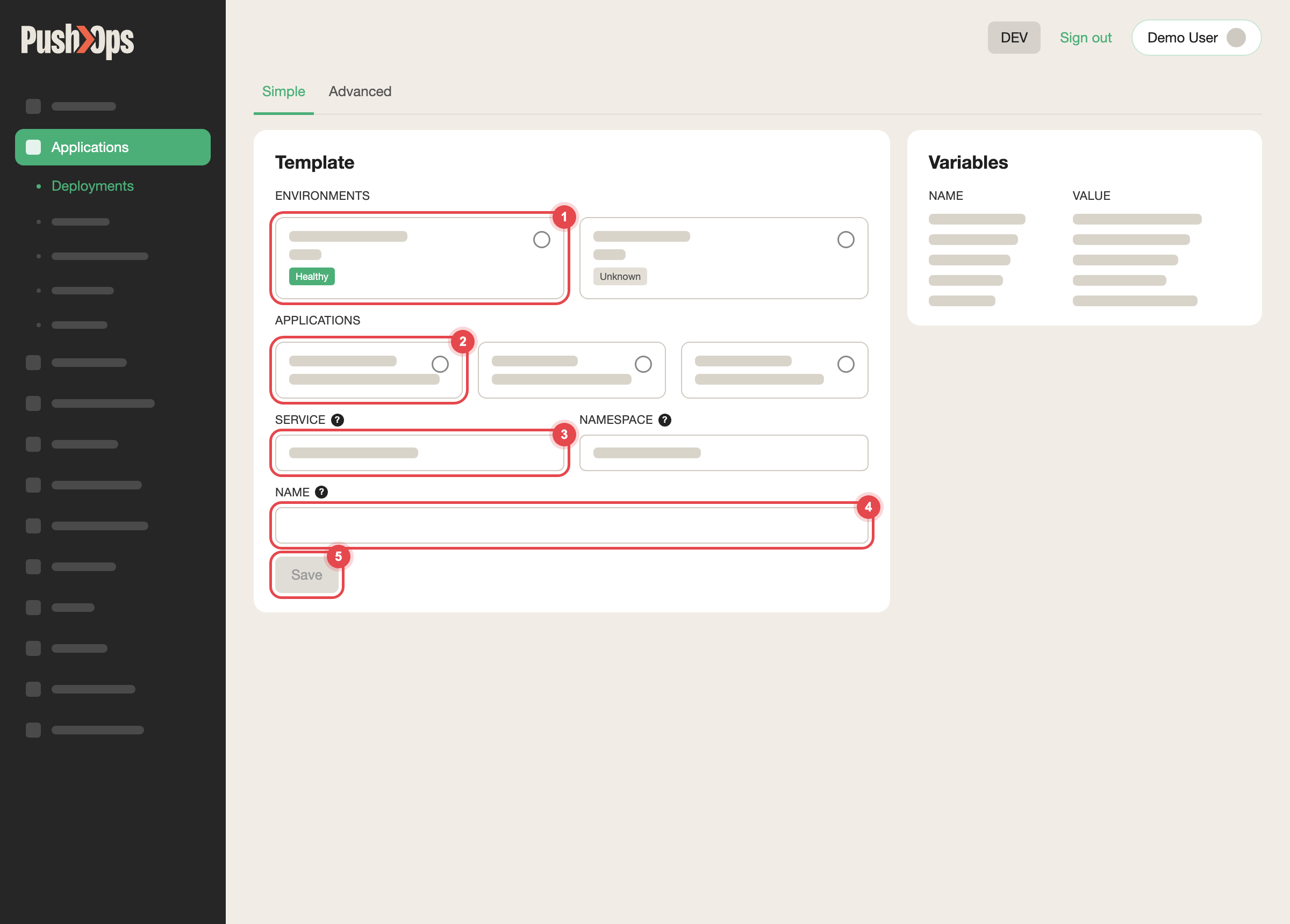
Choose the environment, the Catalog item, the Service and a name, then click Save
-
Choose the same namespace as the application that will use it.
-
Name the account. A name close to the application name keeps it easy to
trace later. -
Define the policies. You can attach existing IAM policies by ARN, define
inline policies, or both:
policies:
  - "arn:aws:iam::<your-account-id>:policy/some-existing-policy"

role:
  policies:
    LogAccess: |
      {
        "Version": "2012-10-17",
        "Statement": [
          {
            "Effect": "Allow",
            "Action": [
              "logs:CreateLogGroup",
              "logs:CreateLogStream",
              "logs:PutLogEvents",
              "logs:DescribeLogStreams",
              "logs:FilterLogEvents",
              "logs:GetLogEvents"
            ],
            "Resource": [
              "arn:aws:logs:*:*:*"
            ]
          }
        ]
      }
    S3Access: |
      {
        "Version": "2012-10-17",
        "Statement": [
          {
            "Effect": "Allow",
            "Action": [
              "s3:GetObject",
              "s3:PutObject",
              "s3:ListBucket"
            ],
            "Resource": [
              "arn:aws:s3:::<bucket-name>",
              "arn:aws:s3:::<bucket-name>/*"
            ]
          }
        ]
}- Click Save. The IAM role is created in your AWS account, and the
matching Kubernetes service account is created in the namespace.
If the bucket uses KMS encryption, also allow kms:Encrypt, kms:Decrypt, and
kms:GenerateDataKey on the KMS key — otherwise the application is allowed to
reach the object but not to decrypt it.
Pointing your application at it
In the application Component's configuration, set the serviceAccount section
to the account you provisioned, and set create: false so the application does
not generate one of its own:
serviceAccount:
  create: false
  name: "<service-account-name>"
Save the Component. The application's pods now run with the IAM role's
permissions, with no access keys or credentials in your configuration.
Checking it worked
After the Component redeploys, have the application perform the cloud call it
needs. An AccessDenied response means the policy does not yet cover that
action or that resource — widen the specific action, not the whole resource
scope.
Common issues
| Issue | What to check |
|---|---|
| Application still uses old credentials | Confirm create: false is set, and that the Component has redeployed |
AccessDenied on an encrypted bucket | Add the KMS actions on the key, not only the storage actions |
| Service account not found | The service account and the application must be in the same namespace |
Good practice
- Scope policies to the specific resources the application needs, rather than
wildcards. - Use one service account per application, so permissions stay auditable.
Related articles
Updated about 1 month ago